
What is keyword research?
Keyword research is finding the words and phrases people type into Google when they look for what you offer. It tells you what your audience wants, how many people search for it each month and how hard it is to compete for those searches.
Good keyword research shapes the pages you write, the titles and headings you use, the ads you run and even the questions you answer for AI search tools. It is the first step of SEO, PPC and content planning.
How to use this keyword research tool
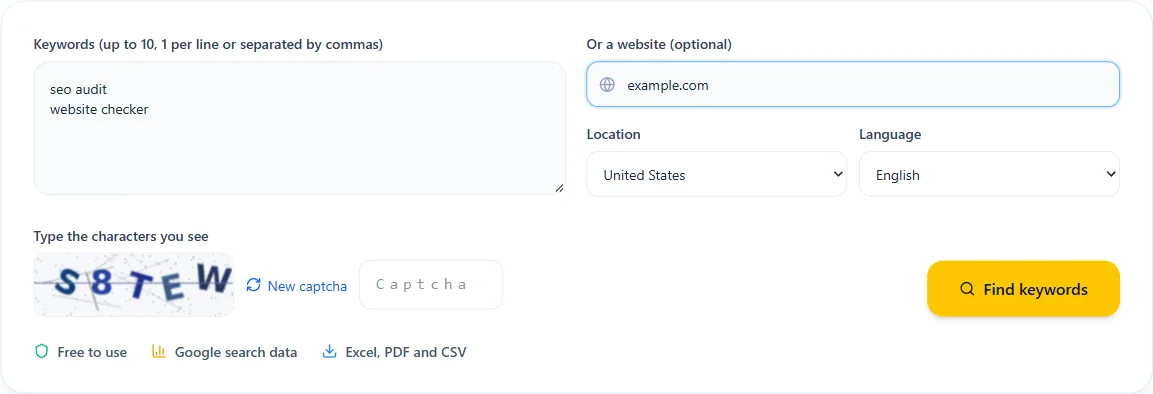
- 1Type up to 10 seed keywords about your topic, or paste a website to get ideas from its pages. You can use both together.
- 2Choose the location and language you want data for, for example United States and English.
- 3Solve the short captcha and click Find keywords. You get up to 300 related ideas in a few seconds.
- 4Filter, sort by volume, competition or bid, then download your list as Excel, PDF or CSV.
What the keyword metrics mean
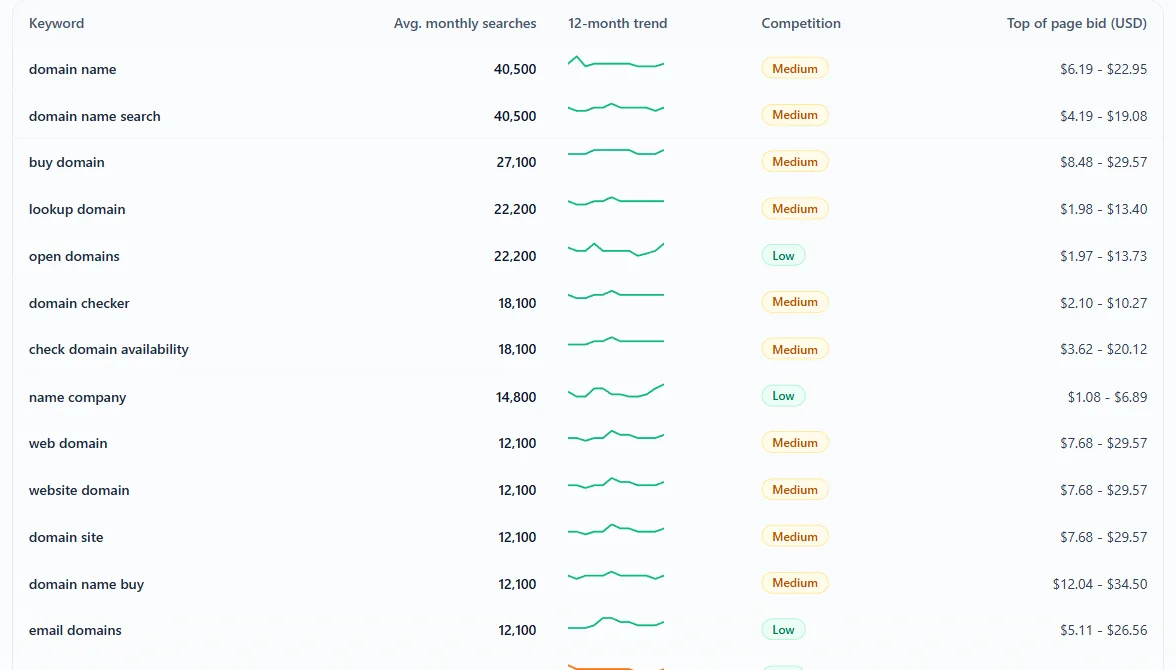
- Avg. monthly searches: how many times people searched for the keyword per month over the last 12 months, in the location and language you picked. Google rounds these numbers into ranges.
- 12-month trend: searches in each of the last 12 months, so you can spot seasonal keywords and growing topics.
- Competition (Low, Medium, High): how many advertisers bid on the keyword in Google Ads. It describes paid competition, not how hard it is to rank organically, but high ad competition usually means the keyword has buying intent.
- Top of page bid: the range advertisers have paid for their ad to show at the top of the results. It is a good signal of how valuable a visitor from that keyword is.
How to choose the right keywords
- Match search intent. Make sure the people searching want what your page offers: information, a product, a local service or a comparison.
- Balance volume and competition. A keyword with 500 searches and low competition is often a better first target than one with 50,000 searches and fierce competition.
- Prefer specific phrases. Longer keywords convert better and are easier to rank for.
- Check the trend. Rising keywords are worth targeting early; seasonal ones need content ready before the peak.
- Group similar keywords. 1 strong page can rank for a whole cluster of related searches.
Find long-tail keyword ideas
Long-tail keywords are longer, more specific searches like "free seo audit tool for wordpress" instead of "seo". Each one has fewer searches, but together they bring a large share of traffic, the visitors know exactly what they want, and smaller sites can rank for them.
To find them, start with a broad seed keyword, then filter the results for words like "best", "how to", "for", "near me" or "vs" and sort by lowest competition.
Get keyword ideas from any website
Paste your own site to see which topics Google connects with it, or paste a competitor's site to find keywords you have not covered yet. Combine a website with a few seed keywords to keep the ideas focused on your niche.
Use your keywords for SEO, PPC and AI search
- SEO: plan new pages and blog posts, and put the main keyword in your title, H1, URL and first paragraph.
- PPC: build ad groups around tight keyword themes and use the bid range to estimate your budget.
- AI search: turn question keywords into clear answers and FAQs that AI assistants can quote.
- Content planning: map each keyword cluster to 1 page so your pages do not compete with each other.
Data source and fair use
Keyword data comes from Google Ads. Search volumes are rounded monthly averages and bids are estimates, so use them to compare keywords rather than as exact traffic forecasts.
The tool is free for everyone. Each search needs a quick captcha. Visitors can run 5 searches a day, a free account 10, Pro 100, and Agency has no daily cap (fair use). Results are kept for 24 hours, so repeating a search the same day is instant.