
What is a keyword rank checker?
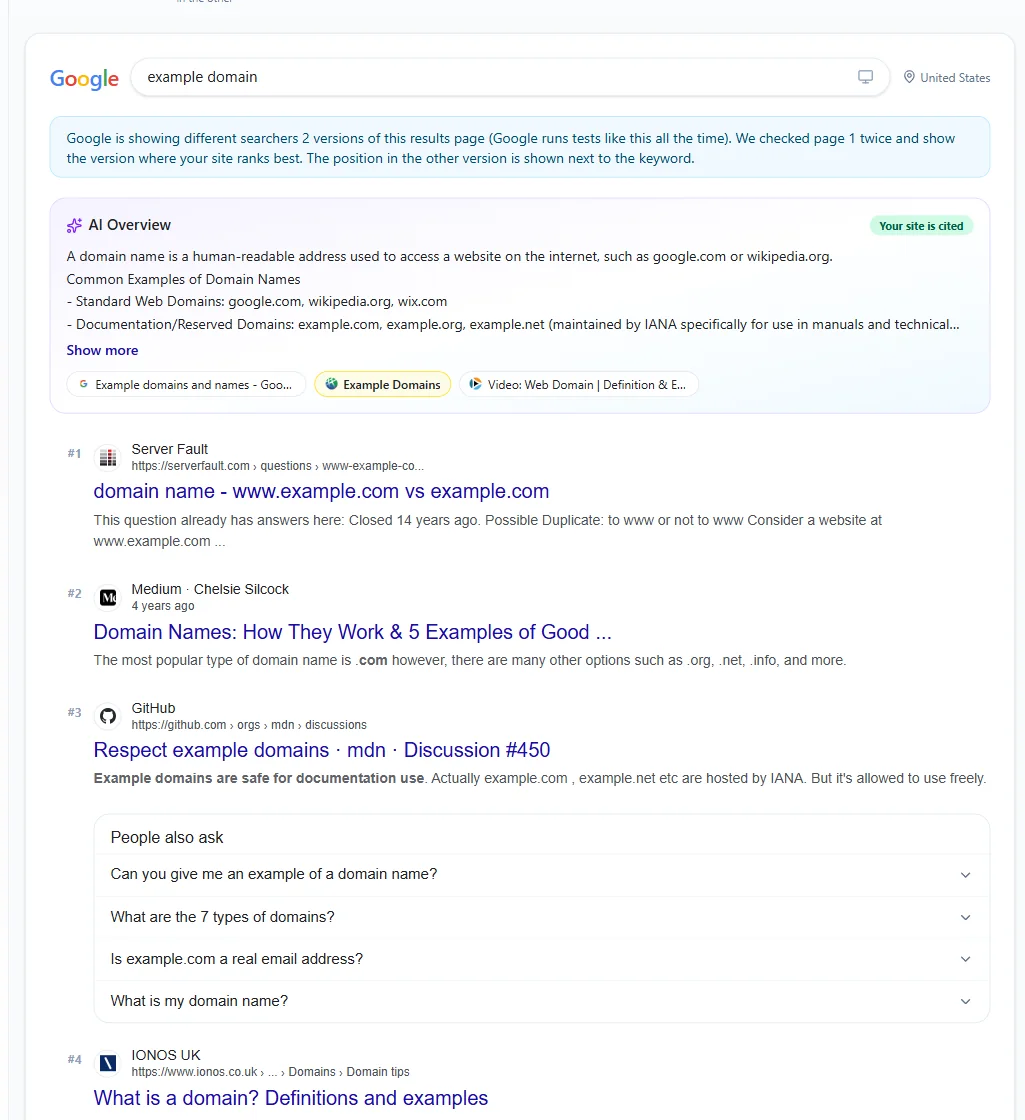
A keyword rank checker shows the position of a website in Google's organic results for a given search term. Instead of searching by hand and scrolling through pages, you enter the domain and the keywords once and get the exact position, the URL that ranks and the pages that rank above it.
Searching Google yourself gives a skewed picture: results are shaped by your location, your search history and your device. This free keyword rank checker loads clean, non-personalized Google results for the country and device you choose, so the positions reflect what a typical searcher there sees.
How to check keyword rankings
- 1Enter the domain, for example example.com. Subdomains such as blog.example.com count as the same site.
- 2Add your keywords, one per line (3 per run as a visitor, 10 with a free account, 50 on Pro).
- 3Choose the country and device you want to check, then click Check Rankings.
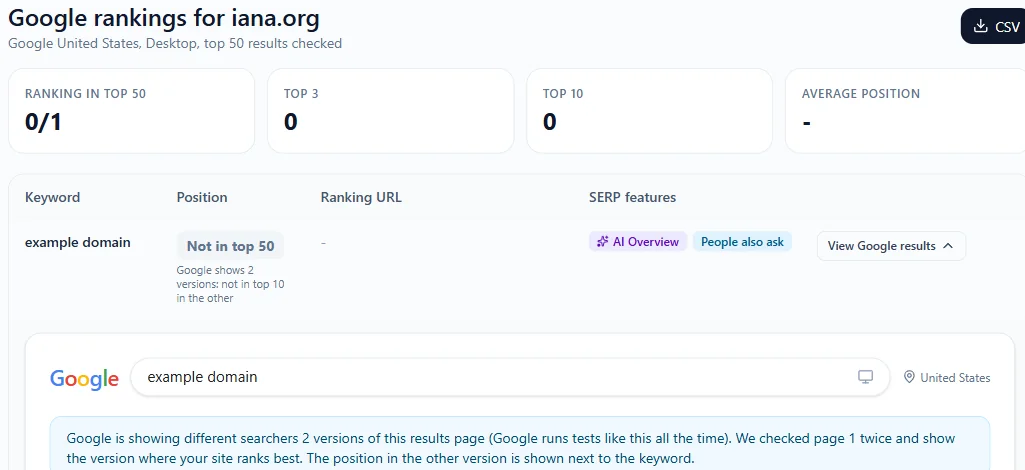
- 4Read the position, the ranking URL and the SERP features for each keyword, open the top 10 to see your competitors, and export the results to CSV.
Why track your Google rankings
Rankings are the link between your SEO work and your traffic. A Google rank checker helps you:
- See whether new content, links or technical fixes moved your pages up or down.
- Find keywords on page 2 (positions 11 to 20), which are usually the fastest wins.
- Spot which competitor pages outrank you and study what they do better.
- Catch sudden drops early, for example after a Google core update or a site migration.
How to read the results
- Position: the organic position of the highest ranking page from your domain. Ads are not counted.
- Not in top 50: the domain did not appear in the first 50 organic results for that keyword in that country.
- Ranking URL: the page Google chose to rank. If it is not the page you want, improve internal links and the content of the right page.
- Also ranks at: when two of your pages rank for the same keyword, they may compete with each other (keyword cannibalization).
- SERP features: an AI Overview or People also ask box pushes organic results down, so a top 3 position may get fewer clicks than before.
Why your rank can look different in Google
Do not worry if you see a slightly different position when you search yourself. Google results change with:
- Location: a searcher in another city sees different local results, even in the same country.
- Personalization: your search history and signed-in Google account change what you see.
- Device: mobile and desktop results are often different, which is why the keyword position checker lets you choose.
- Time: Google tests and updates results all the time, so positions can move within a day.
- SERP features: maps, videos and AI Overviews take space but are not counted as organic positions.
How to improve your keyword rankings
- Match search intent: compare your page with the top 10 results and cover what the searcher actually wants.
- Use the keyword in the title tag, H1, URL and first paragraph, naturally and without stuffing.
- Add internal links from related pages with descriptive anchor text.
- Improve page speed and Core Web Vitals, especially on mobile.
- Earn backlinks from relevant sites, which raises your domain authority.
- Update the content with current facts, examples and FAQs, and show real expertise.
Keyword rank checker vs Google Search Console
Google Search Console shows the average position of your pages over a period, based on real impressions. It is the best data for your own site, but you can only see sites you own, the numbers are averages across all locations and devices, and it does not show your competitors.
A keyword rank checker gives a snapshot of one country and device at one moment, for any website, including competitors. Use both: Search Console to find keywords that already bring impressions, and this tool to check exact positions and who ranks above you.